


Products Non-US Cleared
YA - BTC-USDC Options - European

Product Code
YA
Instrument
Options
Inst Sub Type
European
Settlement Type
Cash USDC
Underlying Asset
BITCOIN
Min Block Size (Contract)
0.0005 BTC
Min Description
Per Transaction
Contract Multiplier
1
Min Price Increment
10 USDC
Min Contract Increment
0.0005
YC - BTC Futures
Product Code
YC
Instrument
Futures
Inst Sub Type
-
Settlement Type
Cash USDC
Underlying Asset
BITCOIN
Min Block Size (Contract)
0.0001 BTC
Perp
0.0005 BTC
Dated
Min Description
Per Transaction
Contract Multiplier
1
Min Price Increment
0.1 USDC
Min Contract Increment
0.0001
Perp
0.0005
Dated
Leg Pricing Assignment Methodology
Paradigm’s leg pricing methodology attempts to take the quoted strategy prices as entered by the maker and calculate individual leg prices subject to the following broad constraints:
1
Calculate leg prices as close to the mark as possible
2
Leg prices must be in increments of minimum tick size
3
Leg prices must be within the Min and Max prescribed by the exchange for each leg
4
For options strategies, leg prices must preserve delta relationships:
- Higher strike puts > Lower strike puts
- Higher strike calls < Lower strike calls
Important Pricing Points to Consider
•
Manual entry for individual leg prices when Paradigm is unable to calculate leg prices that are “sensical”
- Bullish's Min/Max values for certain strikes in the option chain can overlap (i.e. Max of lower strike put can be higher than Min of higher strike put). As a result certain strategies prove difficult to calculate leg prices that satisfy conditions stated above (1,2,3) and also specifically preserve delta relationships (4).
- In these rare instances, Paradigm will ask the Maker to input individual leg prices and submit those prices to Bullish. Note that in such cases, Paradigm DOES NOT do any checks to ensure that the leg prices preserve delta relationships and prices will be submitted on an “as is” basis.
•
Currently, Paradigm does not allow zero or negative prices for the following strategies
- Straddles
- Strangles
- Non-ratio, single-expiration Put and Call Spreads
Fees
Paradigm fees for Bullish products are free.
Account Credentials
1
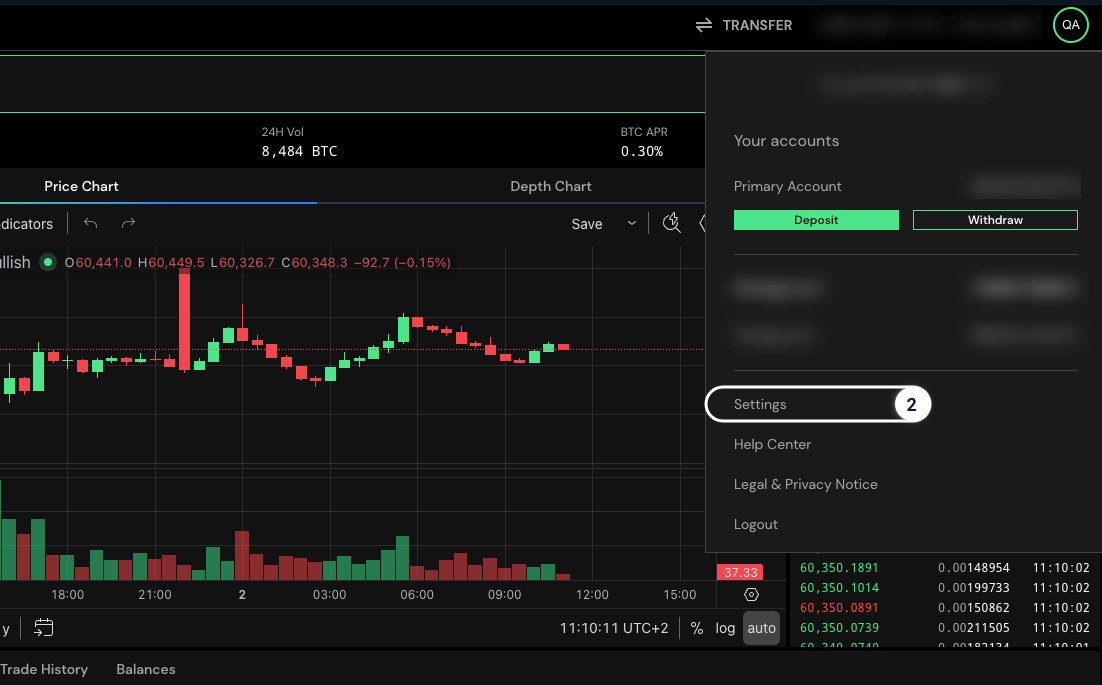
Log into your Bullish account
2
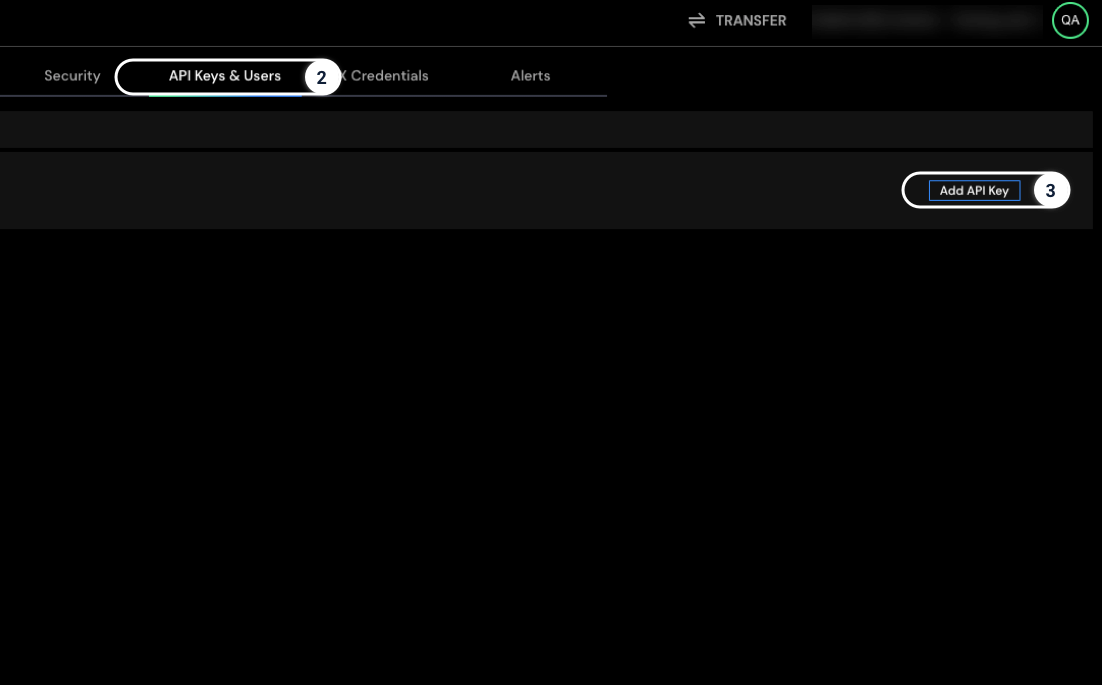
Go to Settings and click the API Keys tab
3
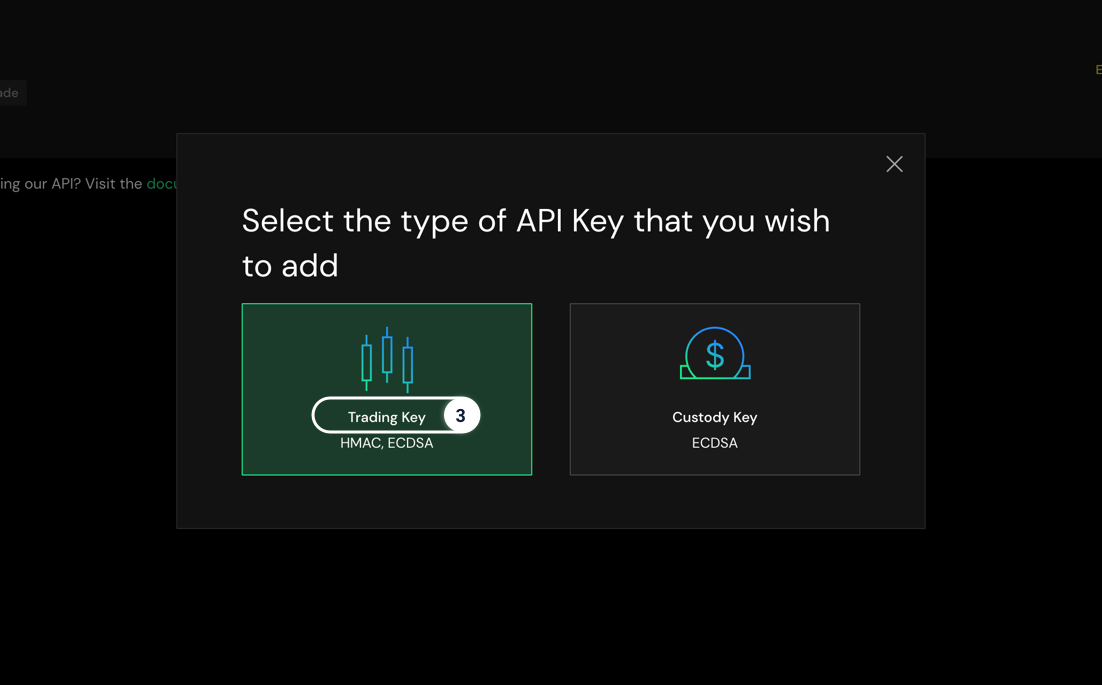
Click Add API Key and choose Trading Key
4
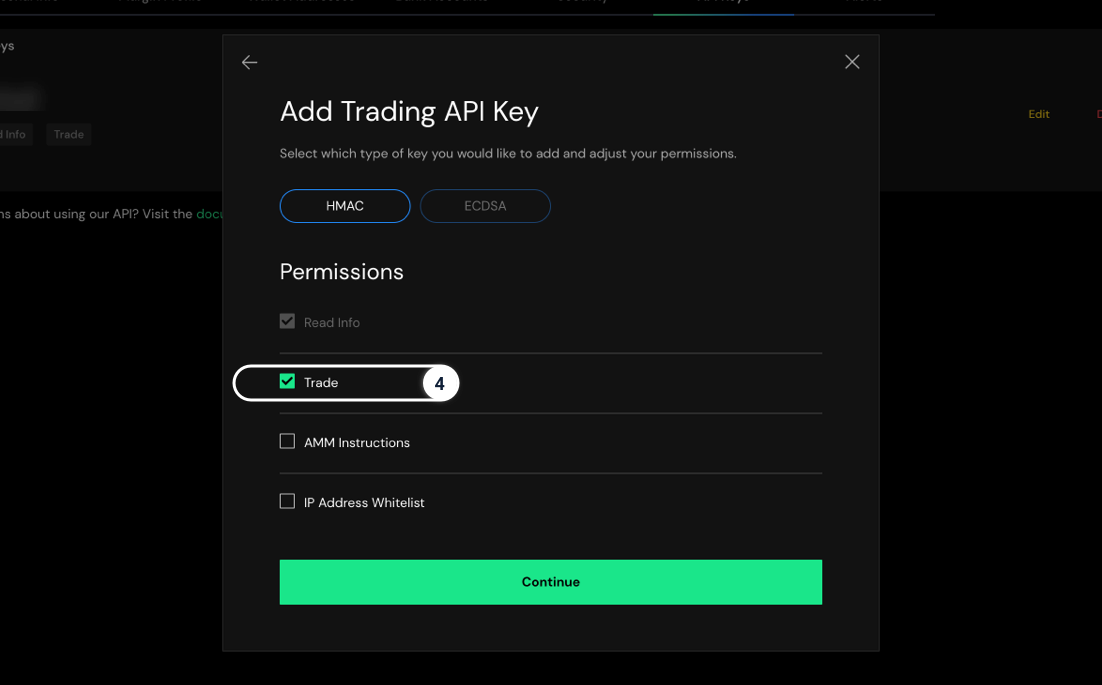
In the pop-up window, the Trade field must be enabled to use our Positions functionality. Click continue.
*Note: This key will not give us access to your account information. Instead, it only allows Paradigm the ability to submit block trades on a user's behalf.
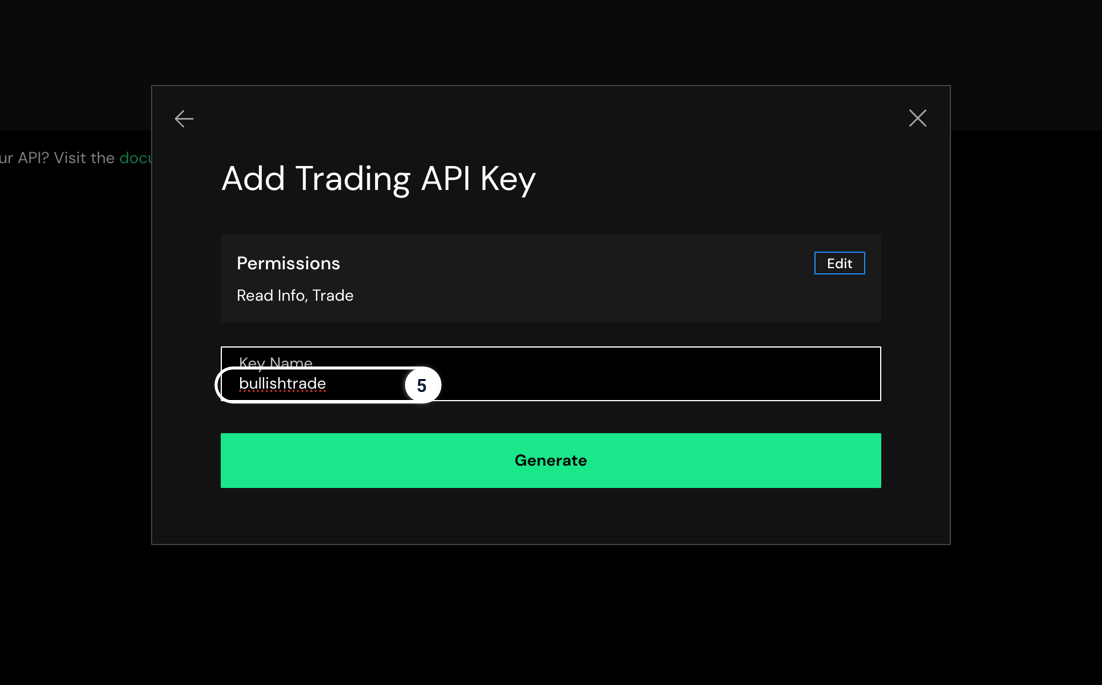
5
Enter your Key Name and click Generate
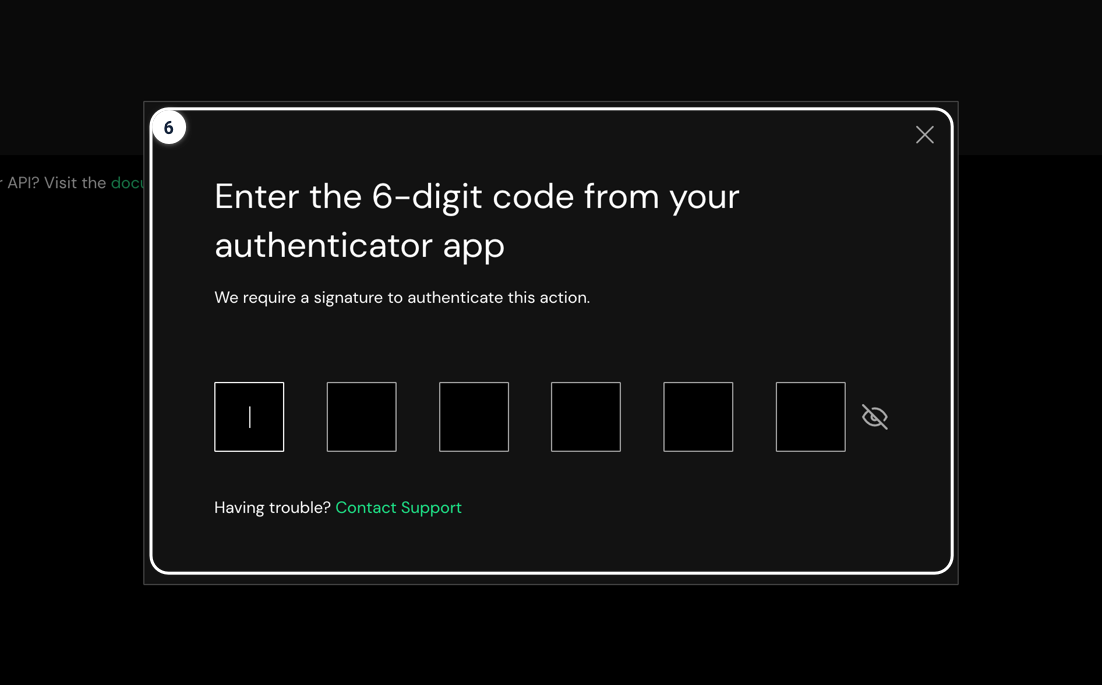
6
Enter 6-digit code from your Authenticator app
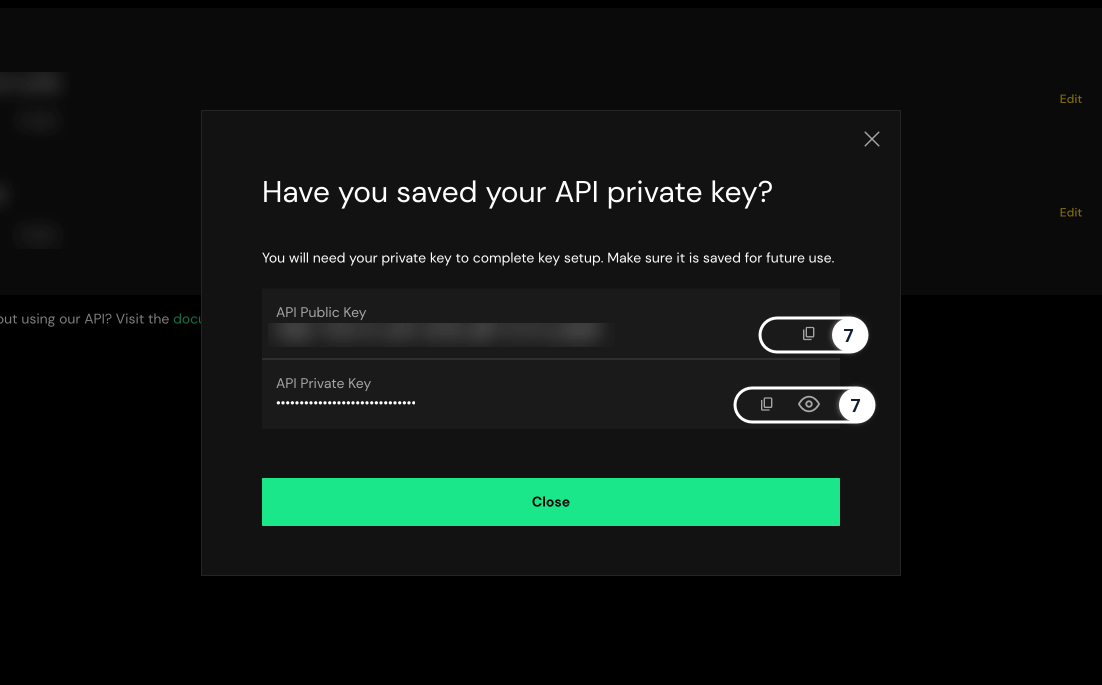
7
Save & Copy your Public & Private API Keys
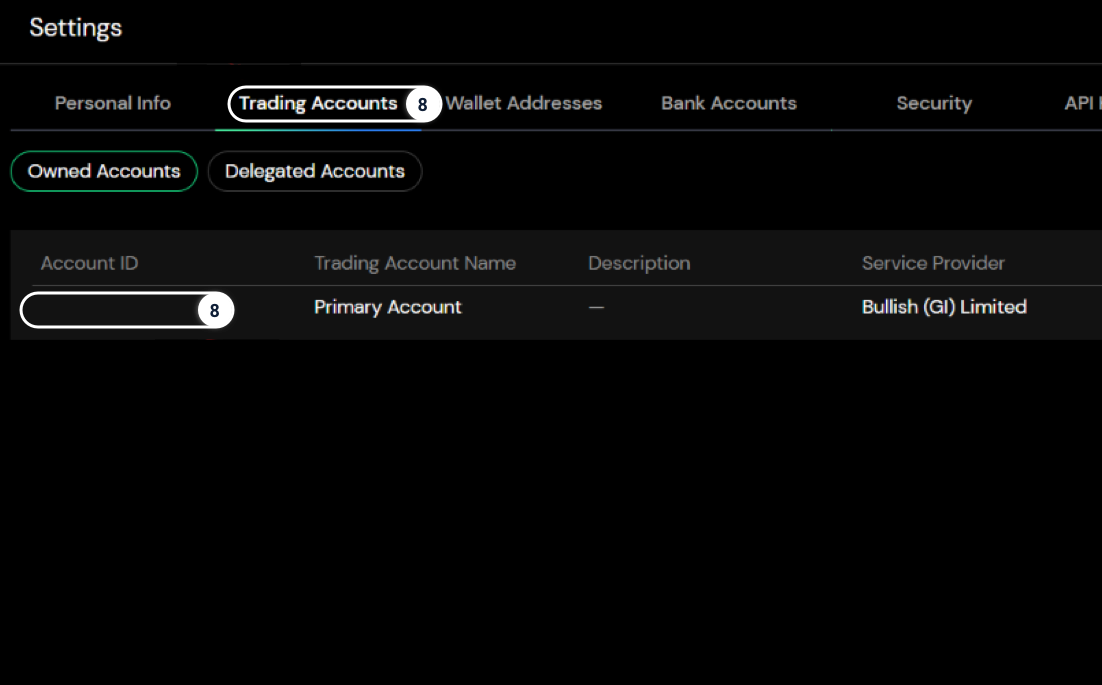
8
Go to Trading Accounts and Copy the Account ID
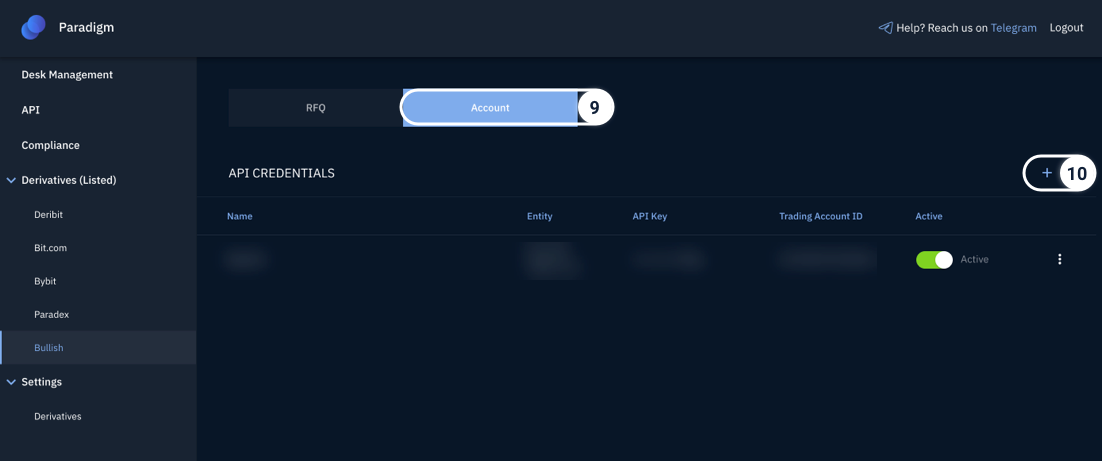
9
On your Paradigm Dashboard, select Account tab under Derivatives (Listed) → Bullish
10
Click "+"
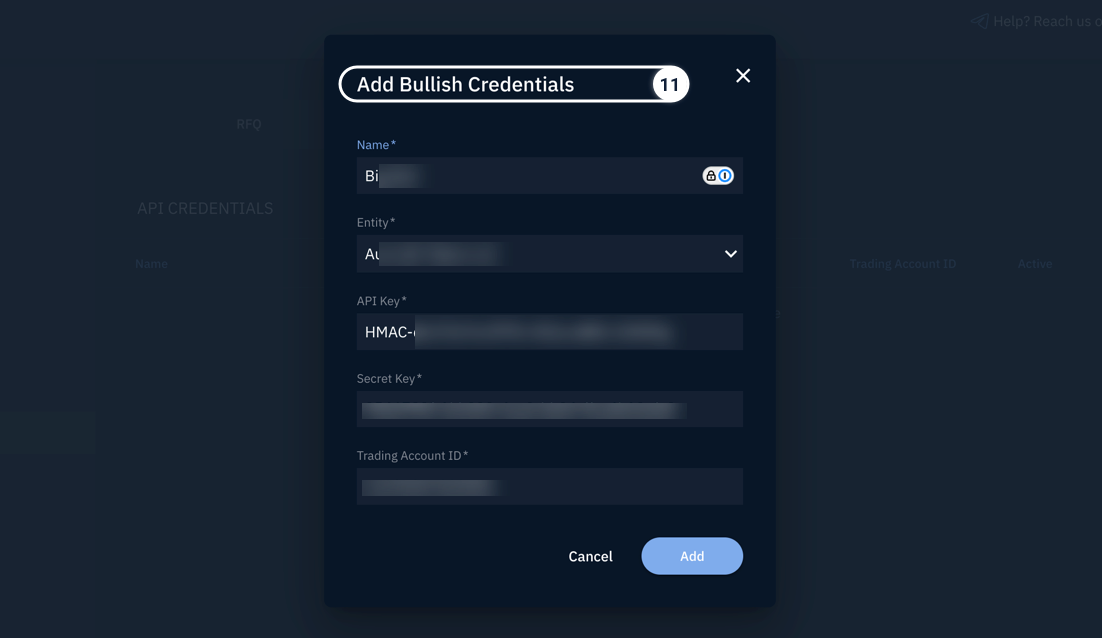
11
Enter a nickname for the Key. Input your Bullish API credentials (i.e. API Key, Secret Key, Account ID) you just created
12
Click Add
13
You can add multiple Bullish API keys to your Paradigm Dashboard, then toggle between keys for trading/clearing in that selected Bullish (sub)account
Restricted Jurisdictions
Please see here